

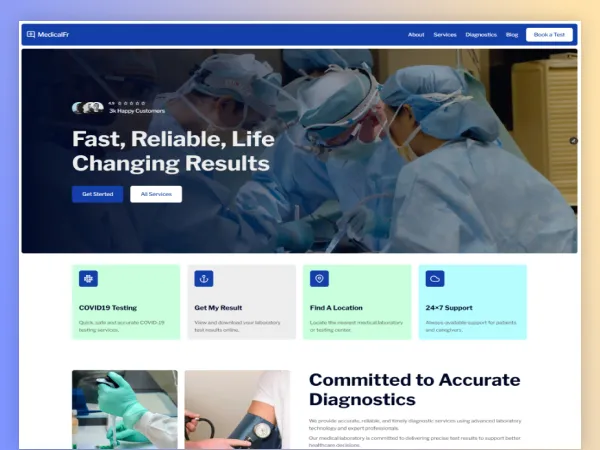
- Created: 12/24/24
- Software: Framer
- Layout: Responsive
- Tags: Medical
Need Help After Purchase
We provide free support after purchasing our products. If you have any problems.

One-Time License Purchase
Get with lifetime updates! Perfect for unlimited & hassle-free website.
MedicalFr Medical Framer Templates Free
MedicalFr is a professional and modern Framer templates in the medical laboratory and diagnosis centers. It has a clear, user-friendly design, convenient navigation of the sections and personalization options to present services, lab examination, team members, and patient data in the most efficient way. Knock off quick and build a credible online presence.
Key Features:
- Retina Ready – Looks sharp on any Retina device.
- Fast Loaded & Seo Friendly.
- Compatible with all modern browsers – IE10, IE11 more.
- Free support for any inquiry.
- Built with Framer Framework.
- Well organized and clean code.
- Easily Custimization.
- Video documentation.
- Multiple Landing Page.
- Buy Now – Get It On Time!
- Low Prices
Fonts & Icons Used:
- Libre Franklin
- Framer Icon
Image Credits:
- Stocksnap
- Pxhere
- Unsplash
- Freepik
Easy Ways to Import a Framer Template
What plugin themes are needed?
- Framer Account
Which files will there be included?
- Remix Link
How to import it?
1. Start with the Template Page
Go to the Framer Marketplace (https: www.framer.com/marketplace/templates ) and pick the template of your choice, the Choose template (or any template that looks interesting to you).
2. Make a Copy of the Template.
Hit the button of Use Template (it can also say Duplicate/Copy )
3. Open It in Framer
Following the duplication, the template will appear in your (Framer dashboard) as a new project.