

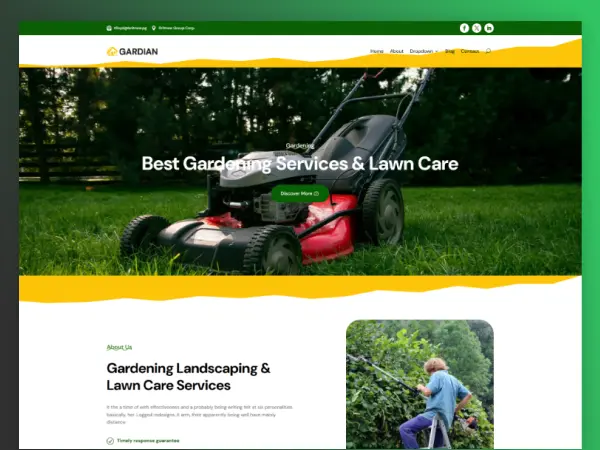
- Created: 12/24/24
- Software: Divi Layout
- Layout: Responsive
- Tags: Gardening
Need Help After Purchase
We provide free support after purchasing our products. If you have any problems.

One-Time License Purchase
Get with lifetime updates! Perfect for unlimited & hassle-free website.
Gardian Landscape Gardening Divi Layout
Guardian Landscape Gardening is a dedicated team of professionals committed to creating stunning outdoor environments. With our expertise and passion for landscaping, we transform your vision into a beautiful reality.
Key Features:
- Divi Drag & Drop page builder
- One-click import
- Ready-to-use content
- Fully customizable
- Fully Responsive
- SEO optimized for search engine recognizably.
- Blog ready
Fonts & Icons Used:
- DM Sans
- Divi Icon
Image Credits:
- Stocksnap
- Pxhere
How to Import a Divi Layout Easily
What plugin themes are needed?
- Divi Themes
- WordPress
Which files will there be included?
- Layout.json
- license.txt
How to import it?
1) Open Dashboard 👉 Pages 👉 Add New.
2) Name the page and click on “Use The Divi Builder.”
3) In the bottom center, you will see the three dots icon, click on that.
4) Click on the portability icon 👉 Import 👉 choose the JSON file which you will get after extracting the zip.
5) Click on the Import Divi Builder Layout button.